How to Screen Mirror to your Samsung TV
Learn how to screen mirror from your mobile device to TV.
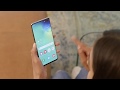
Find the screen mirroring function on your mobile device by pulling down the notifications bar and tapping screen mirroring, Smart View or Quick Connect. Simply tap your TV to connect, enter the pin shown onscreen if asked and screen mirroring should start.
Discover our range of TVs here: https://www.samsung.com/uk/tvs/
Find the screen mirroring function on your mobile device by pulling down the notifications bar and tapping screen mirroring, Smart View or Quick Connect. Simply tap your TV to connect, enter the pin shown onscreen if asked and screen mirroring should start.
Discover our range of TVs here: https://www.samsung.com/uk/tvs/


 Posts
Posts


No comments: