Samsung Galaxy S10 | Set-up your new phone
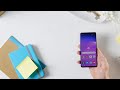
Getting started with your new S10 is simple. If you’ve just unboxed a new Samsung Galaxy S10, then this set-up guide will help you get the most from your phone.
Turning on your phone for the first time, will run you through the initial set-up process:
1. You’ll need to connect to Wi-Fi first, so select your network, enter the password and tap Connect
2. Link your Google account for access to the PlayStore and Google apps
3. Restore a backup from an old Android device if you have data to transfer
4. Set up security including a screen lock passcode, PIN or pattern
5. Select which Google services you want to add
6. Sign into your Samsung Account, or register if you don’t already have one
7. Read and agree to the terms and conditions
8. You can restore data from a previous Galaxy phone, or set up as a new phone
Turning on your phone for the first time, will run you through the initial set-up process:
1. You’ll need to connect to Wi-Fi first, so select your network, enter the password and tap Connect
2. Link your Google account for access to the PlayStore and Google apps
3. Restore a backup from an old Android device if you have data to transfer
4. Set up security including a screen lock passcode, PIN or pattern
5. Select which Google services you want to add
6. Sign into your Samsung Account, or register if you don’t already have one
7. Read and agree to the terms and conditions
8. You can restore data from a previous Galaxy phone, or set up as a new phone


 Posts
Posts


No comments: